A real-time telemetry HUD and race engineer for the Forza Horizon series — on your iPhone or iPad. Point the game's Data Out stream at it over Wi-Fi and every gauge comes alive at the game's frame rate.
Every one of the 85 Horizon 6 races has a leaderboard, and every lap on it was
recorded from the game’s own telemetry rather than typed in. Publish one from the app
and it gets its own page — the line you drove coloured by speed, sector splits, and exactly
where you sit. No account needed to look.
The feed is the live side of it: every lap anyone publishes, newest
first, with the driver, the car and the time. It is the quickest way to see what people
are actually driving right now.
It’s early. Most races have no times yet, and a leaderboard is only as
good as the laps people publish. The app itself stays free and works entirely offline —
the cloud is optional, and always will be.
Everything a race engineer would put on your dash.
Open the app, connect once, and drive. Every screen reacts live to what the car is doing.
A racing HUD built for the apex
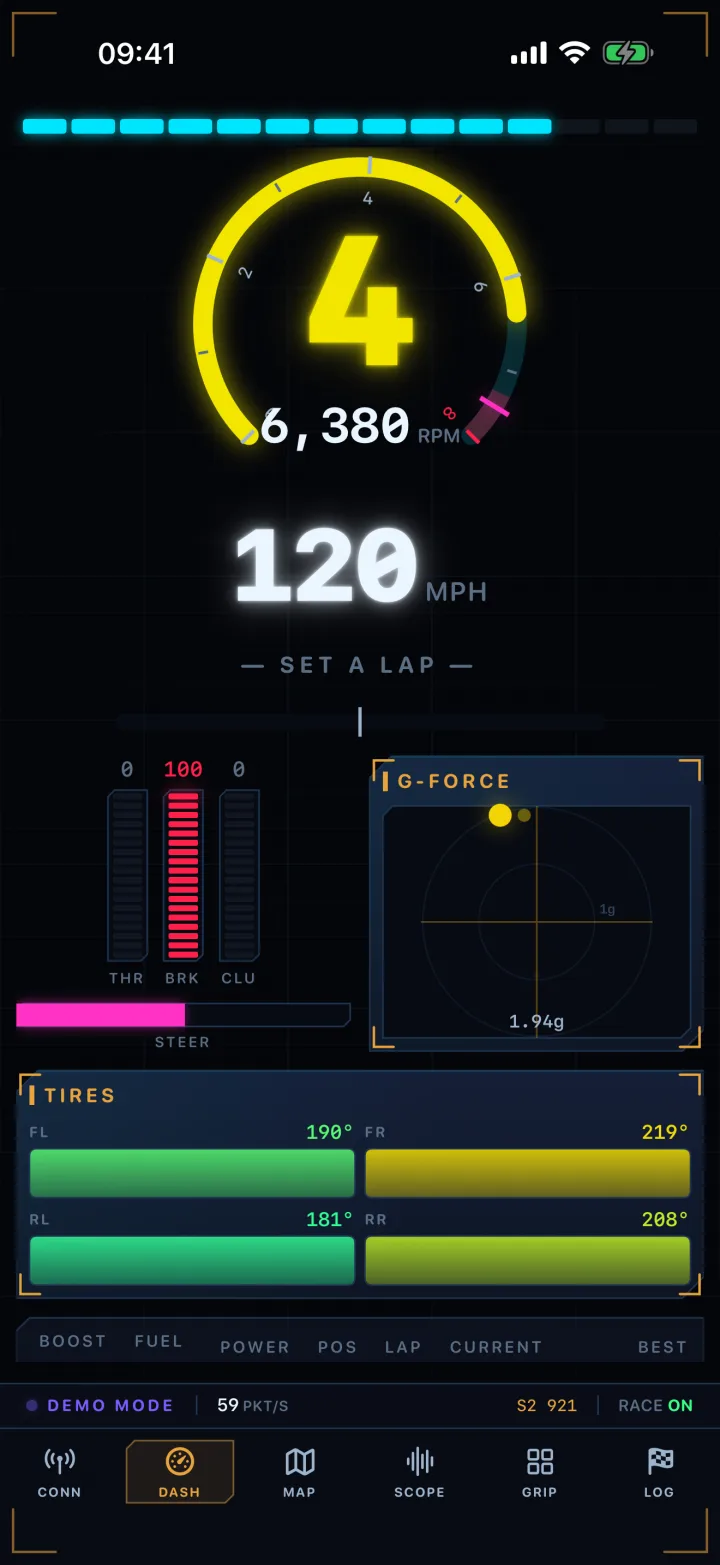
A 270° neon tachometer with a redline band and shift-light bar that tells you exactly when to upshift, giant gear and speed readouts, segmented throttle/brake/clutch/steering bars, a friction-circle G-force ball, and a live best-lap delta.
Every official track, built in
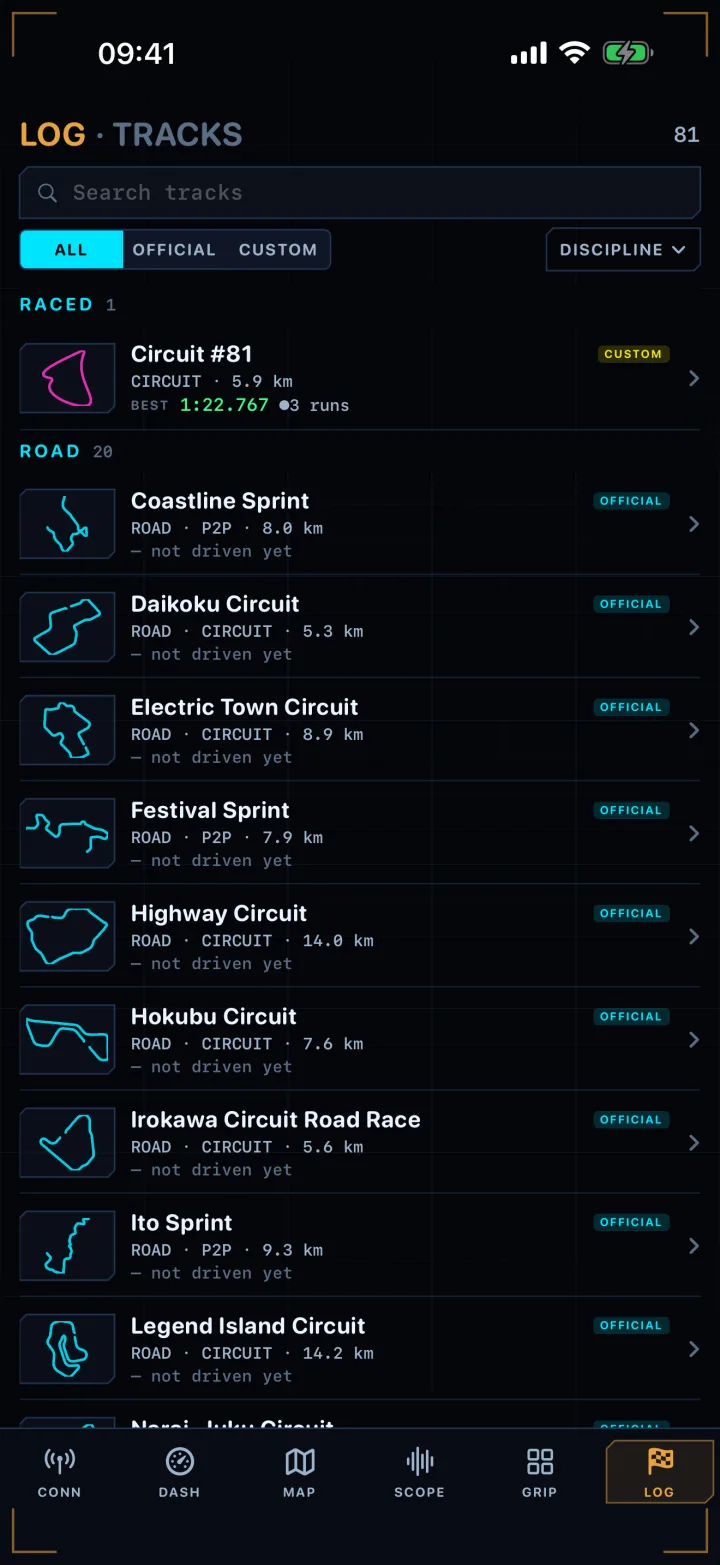
All 80 official races ship pre-loaded — each with its real route already drawn on the map, with discipline, length and lap count. Drive an event and your attempts attach to the right track automatically; improvise and it's logged as a custom track.
A race log that remembers every lap
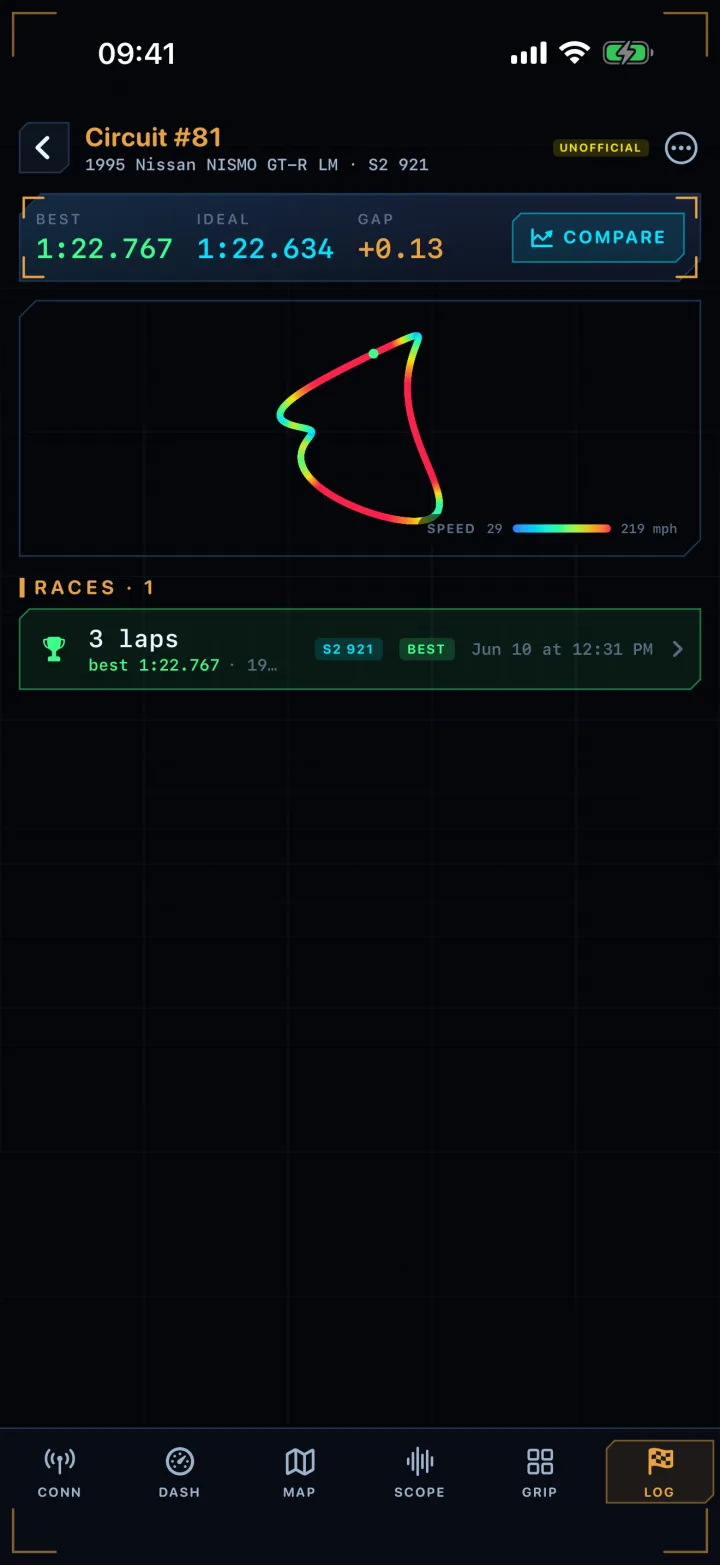
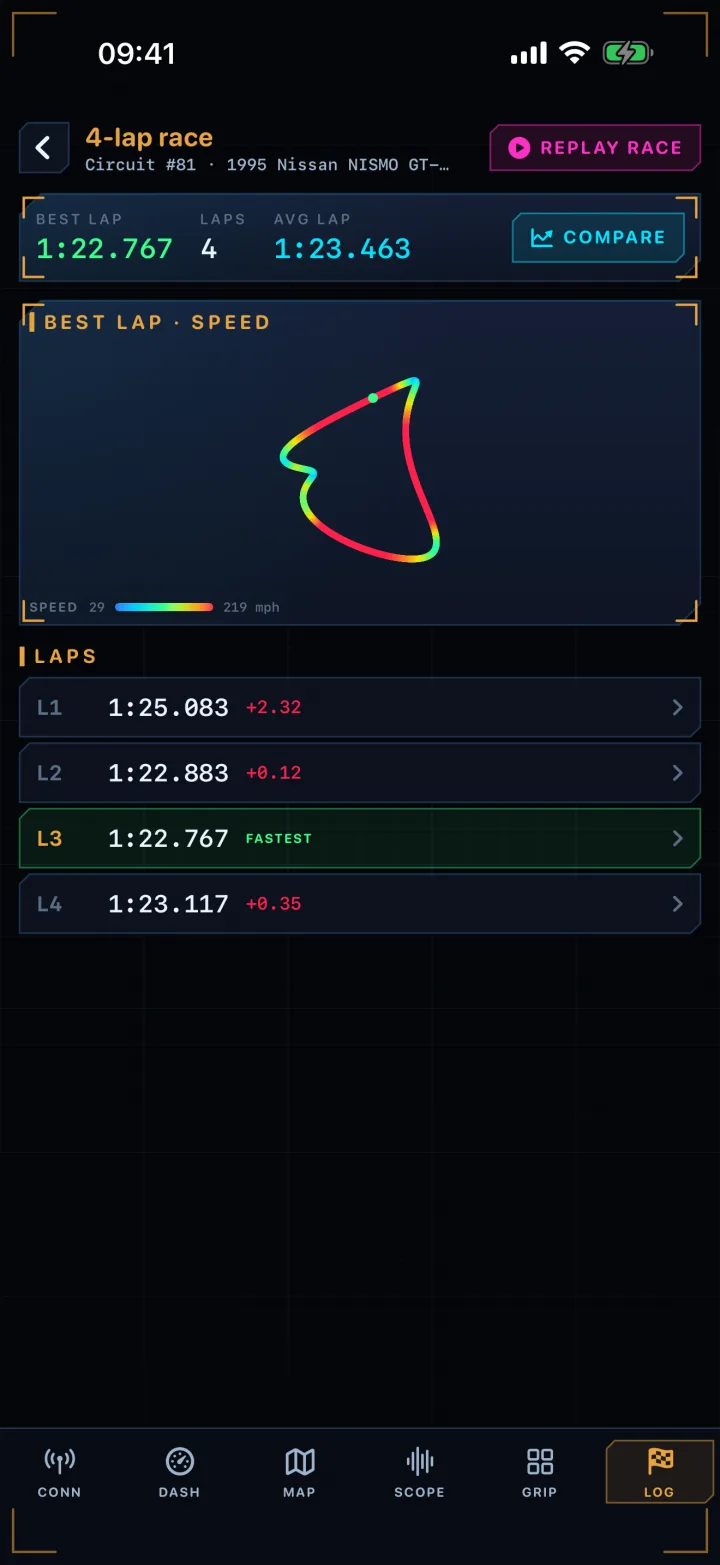
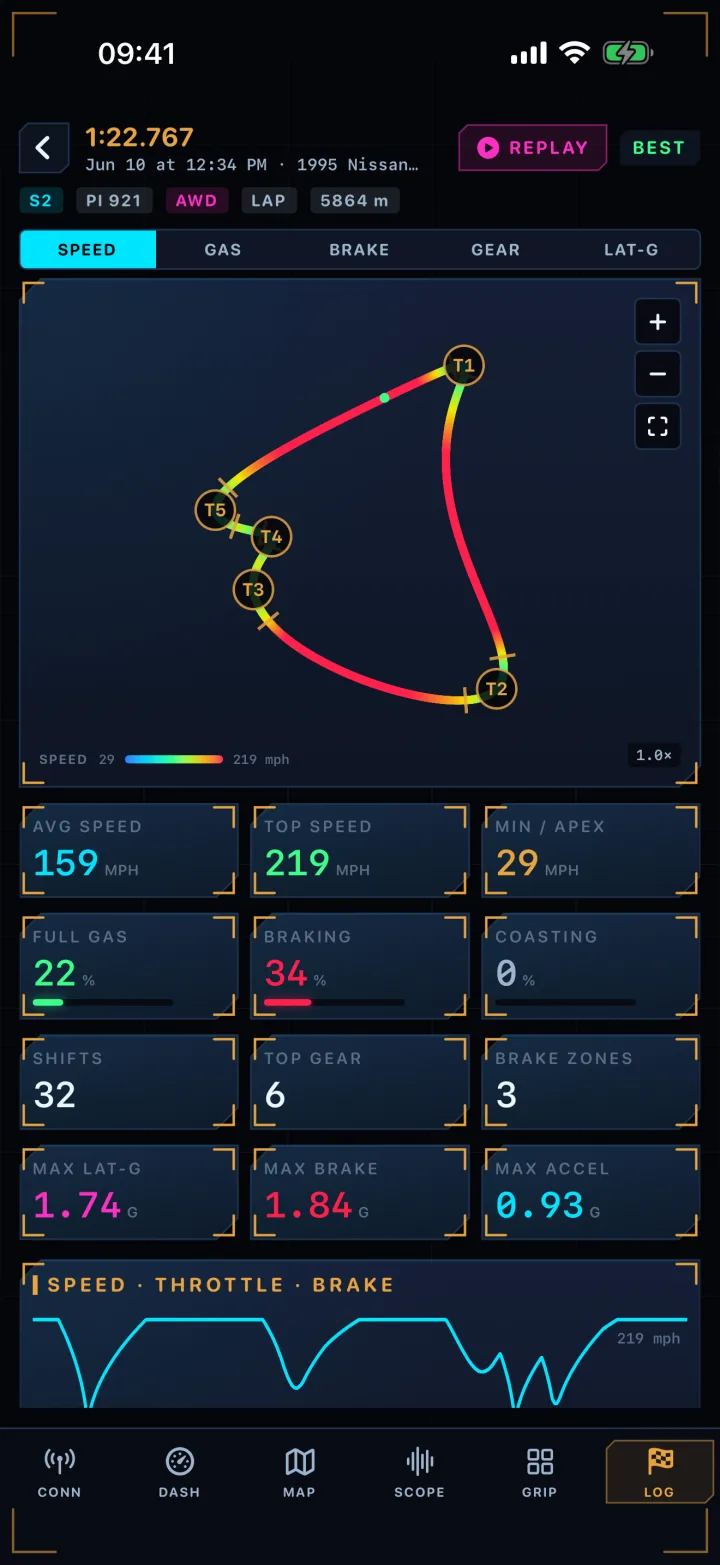
Open the Log tab and drill from a track, to a race, to a single lap, to one corner. Lap times and deltas, sector and corner splits, top speed, and whether you crossed the finish line or bailed. Car-aware too — the same track in different cars keeps separate records, with per-car personal bests.
See where you lose time
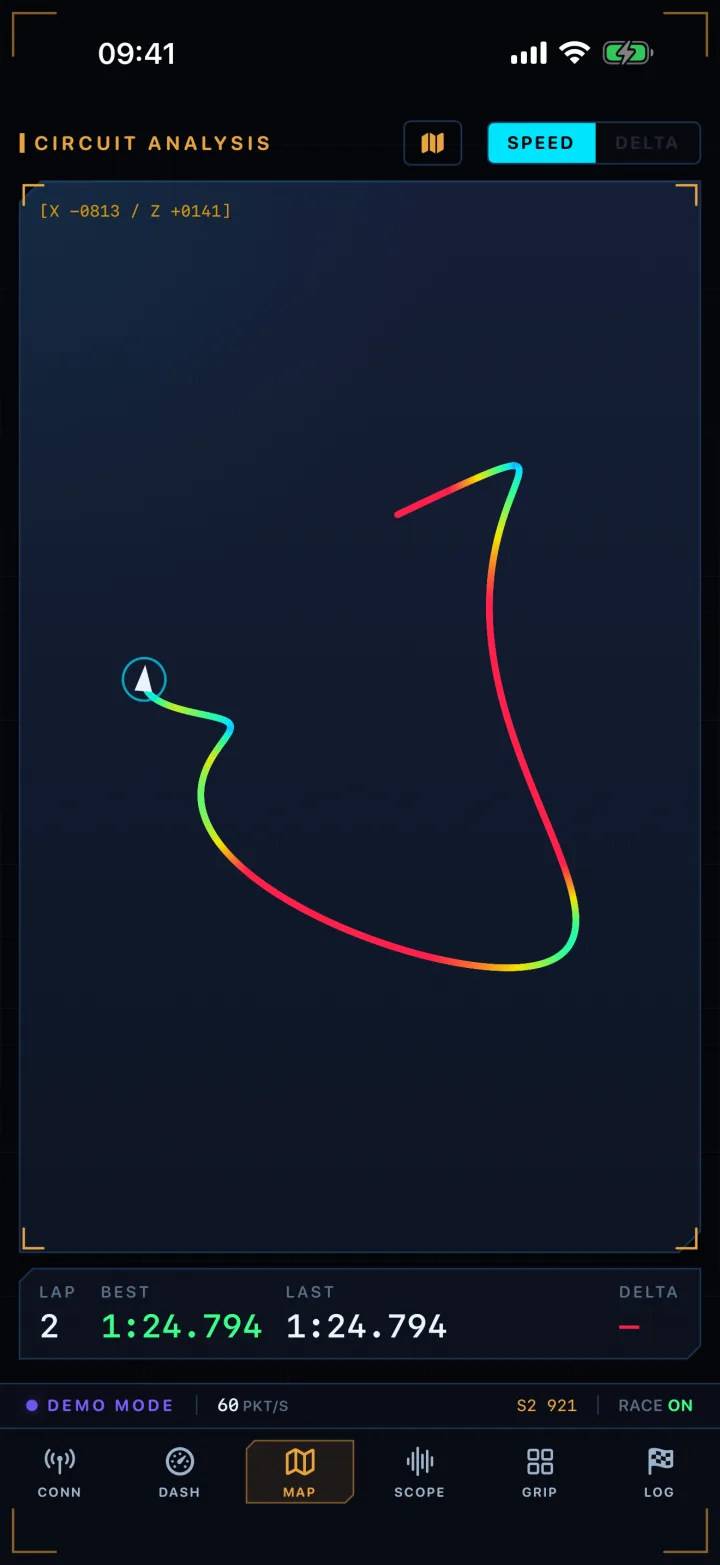
The track map traces your route from world position and colours it by speed — or by time gained and lost versus your best lap — so you can see exactly which corner is costing you. Works for circuits and point-to-point street races alike.
Replay any lap. Race your ghosts.
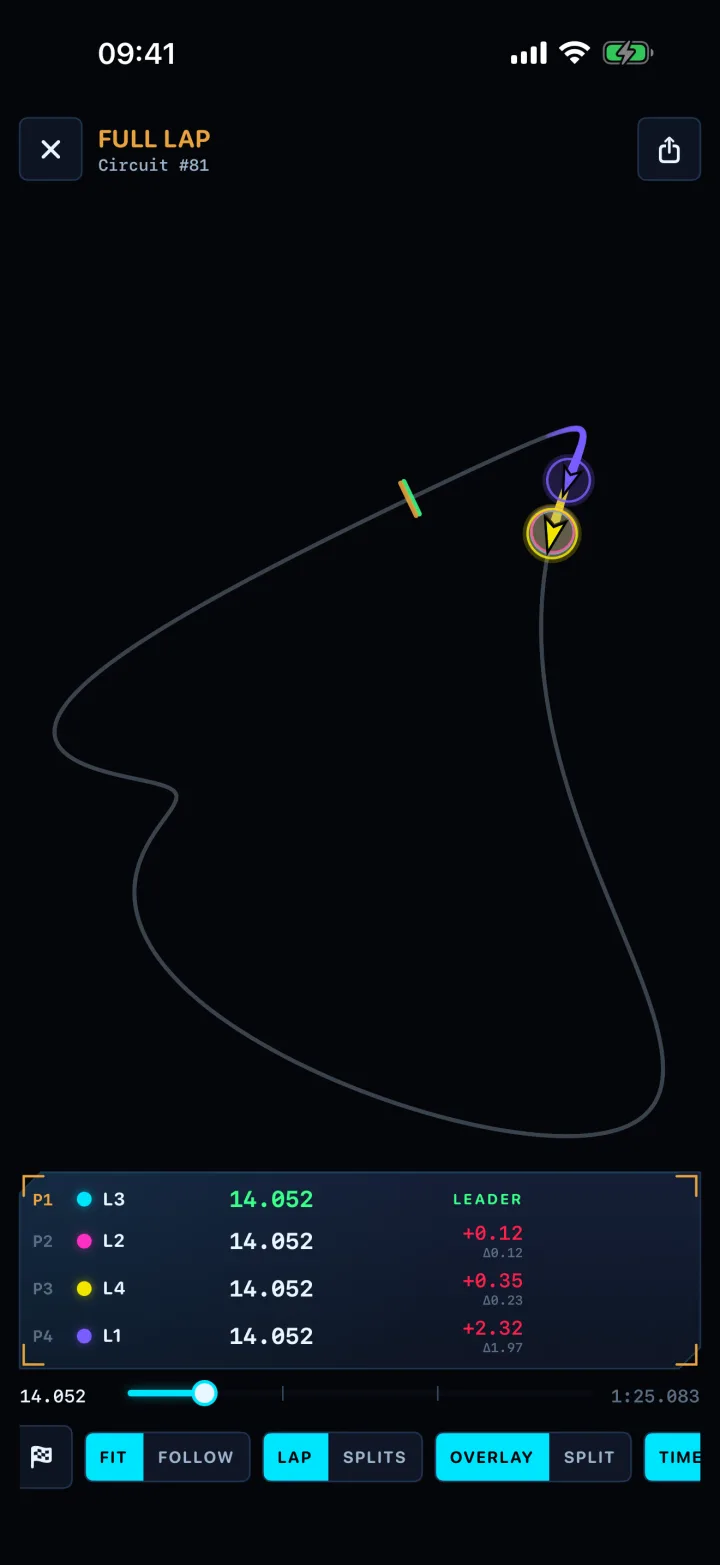
Play back any lap as an animated replay over the map, or run two attempts as a time-synced ghost race with a timing tower and live ticking splits. Then export the battle as a video clip and share it.
Every input on one scope
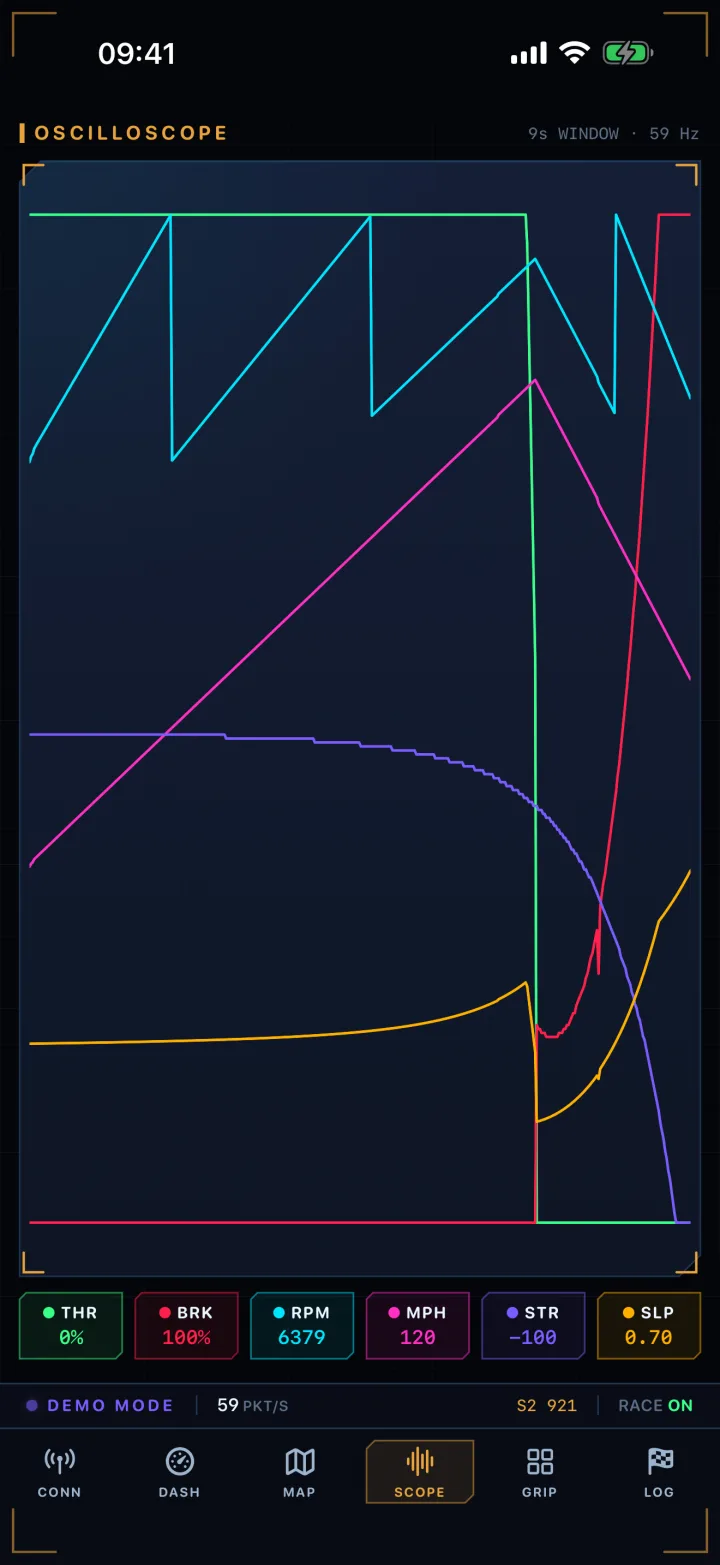
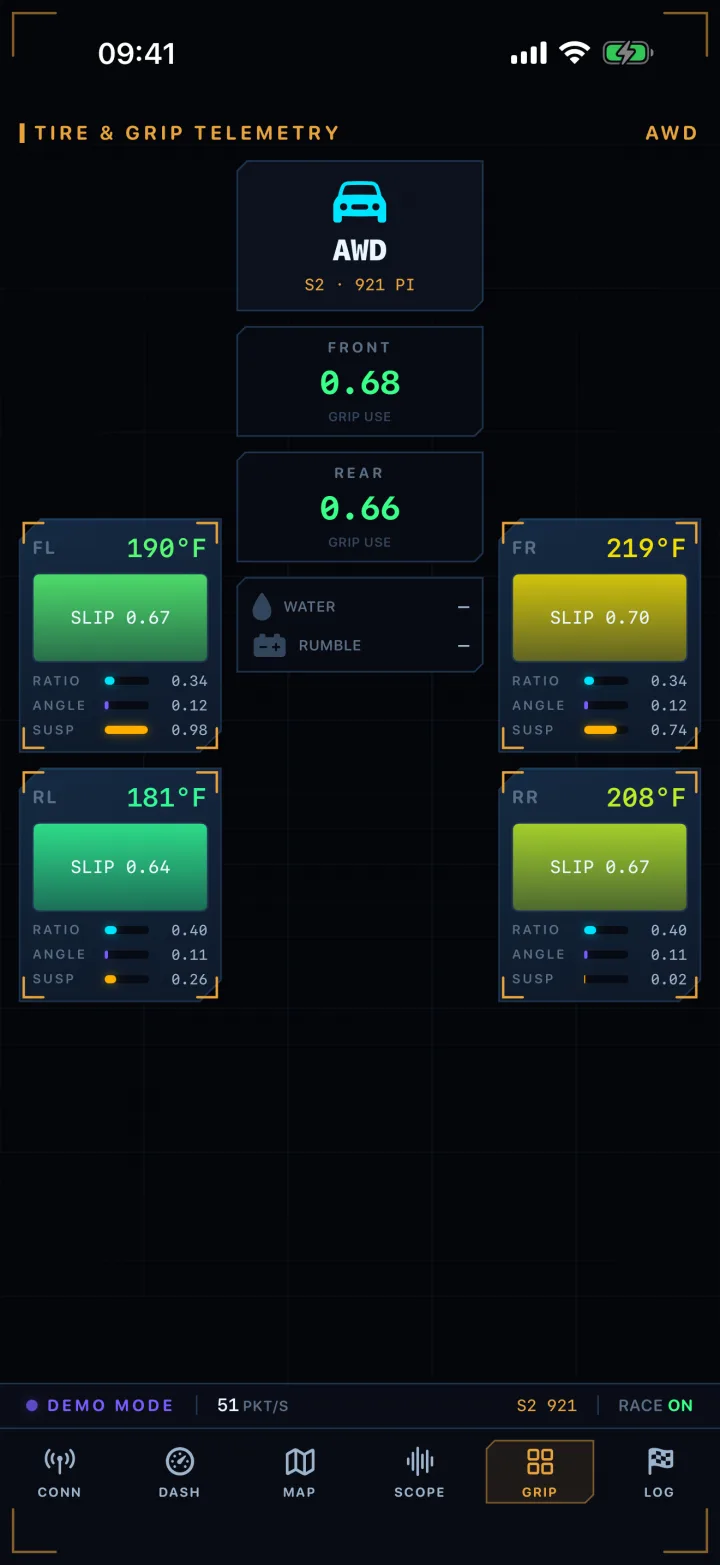
A scrolling oscilloscope plots throttle, brake, RPM, speed, steering and slip together — plus per-corner tire temperatures, slip ratio and angle, suspension travel and drivetrain load. The full picture of what your car is doing.
// On screen
Every screen, one targeting computer.
Swipe between them mid-race, or drill through the Log tab — track, to race, to a single lap, to one corner. Shown here in demo mode, so you can try the whole app before you ever connect a console.
Dashboard
Race log
Races
Lap times
Corner splits
Track map
Replay & ghosts
Input scope
Tires & grip
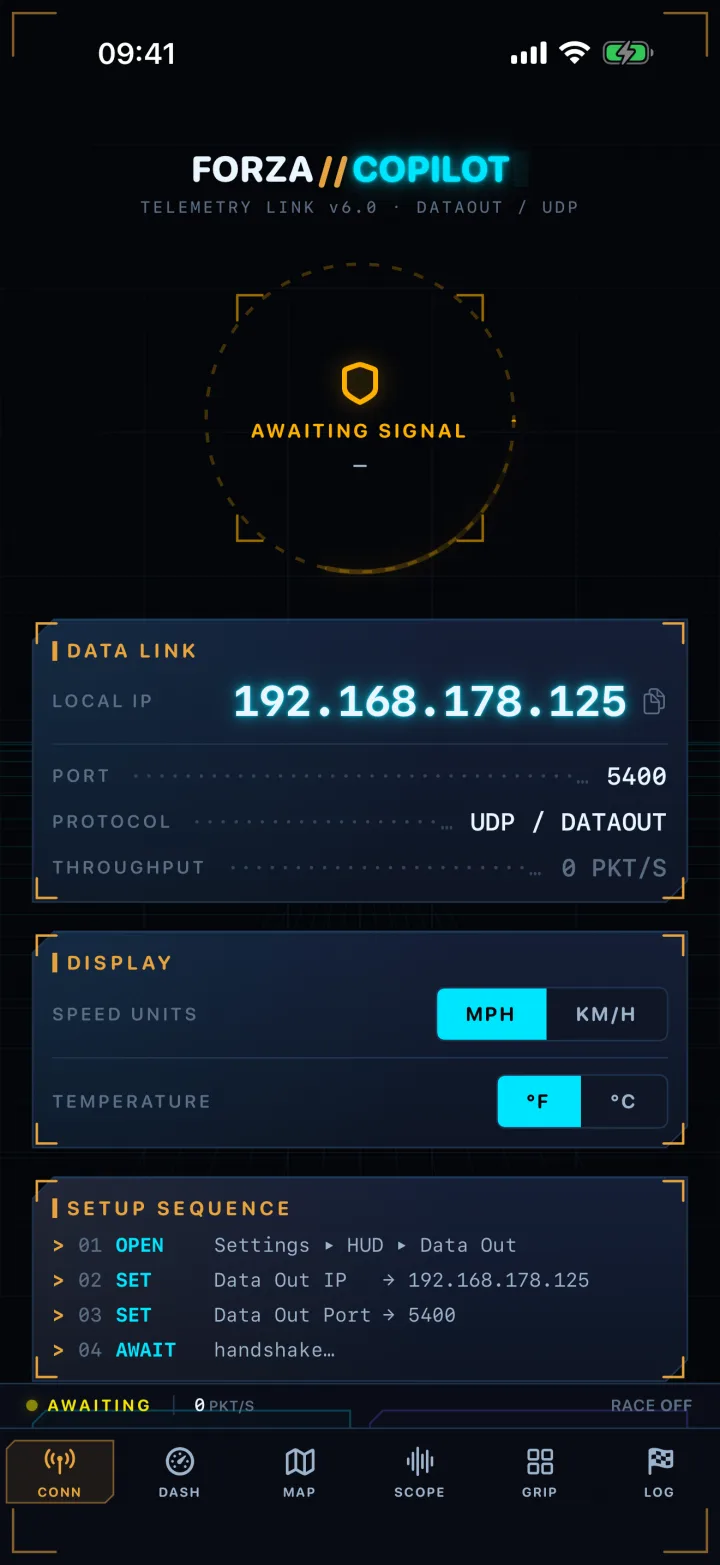
Connection
// 60-second setup
Connect once. No cables.
The phone listens on your Wi-Fi for Forza's one-way Data Out stream, sent from your Xbox or PC on the same network.
1
Open Forza's Data Out
In Forza Horizon, go to Settings ▸ HUD and Gameplay ▸ Data Out.
2
Enter the IP & port
Type the address and port shown on Apex Copilot's Connection screen (tap to copy).
3
Start driving
The reticle snaps to LINK ESTABLISHED when packets arrive. Telemetry flows only while you're on track.
// Privacy
Your races stay yours.
Apex Copilot is local-first. The telemetry stream never leaves your network, and your races are stored on your device — nothing is uploaded unless you publish a lap yourself.
Every recorded lap lives on your device. Publishing one to the cloud is a deliberate, separate act.
The only network the app listens to is your own Wi-Fi, inbound from Forza.
Aggregate usage analytics (EU-hosted) help fix bugs — not tied to your identity, no ad tracking, no third-party advertisers.
A leaderboard for every Horizon 6 race at forza.kirill.sh/leaderboards, built from laps people publish out of the app. It is in beta and most races have no times yet. You never need it: the app records, analyses and replays your laps entirely on your device, with or without it.
Is it really free?
Yes — the entire app, every feature, no paywalls, no subscriptions, no ads. There's nothing to buy.
Which game does it work with?
The Forza Horizon series, using the game's built-in “Data Out” telemetry feature (Settings ▸ HUD and Gameplay ▸ Data Out, on Xbox or PC). The live HUD, race log and analysis work with the Data Out stream across Forza Horizon 4, 5 and 6; the pre-loaded track catalog and route maps are tuned for Forza Horizon 6.
Do I need a console connected to try it?
No. A built-in demo mode drives a car around a circuit so the whole app is alive — gauges, map, replays and all — before you connect anything.
Does it need an account or the internet?
Neither to run. It listens on your local Wi-Fi for Forza's stream; your race data is stored on your device. The only outbound traffic is limited, aggregate usage analytics that aren't tied to your identity.
Is this an official Forza app?
No. Apex Copilot is an unofficial companion and is not affiliated with, sponsored by, or endorsed by Microsoft, Turn 10 Studios, or Playground Games.
What devices does it run on?
iPhone and iPad running iOS / iPadOS 17 or later.
Put a race engineer on your desk.
Free. No account needed. No ads. Just live data from your console or PC on a second screen.